
Top 5 Photo-Editing Software in 2021
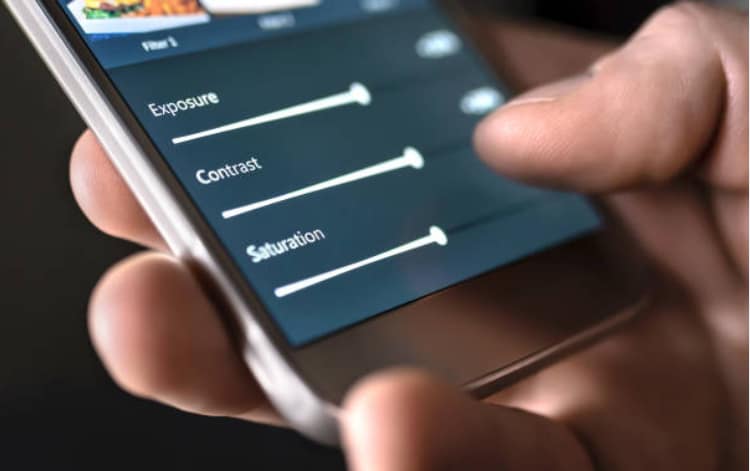
A great photo-editing tool can make a poor photo look amazing or even more impressive. It can do everything, from subtle color and saturation adjustments to filtering and removal of blemishes to large-scale transformations. There is a wide variety of photo editing software available. To install one for your Windows, you can try the instructions at Chrunos. To save you the hassle of trying them all, we have compiled a comprehensive list of all the top photo-editing tools into one easy-to-use guide. Some of these programs are desktop-only, while others work on your tablet, smartphone, or browser.
Adobe Lightroom CC
 Adobe Lightroom is one of the best photo editing software for beginners. It allows you to organize your work, edit it from any device and share it. Many experienced creatives use Lightroom because it can perform difficult image management tasks that Photoshop is not designed for. Lightroom also allows you to perform simple RAW file optimizations and conversions. With Lightroom, you can save images to your computer, iPhone, Android or iPad.
You can also transfer photos directly from your smartphone to Lightroom as soon as you take them. The synchronization is automatic. This means that every time you edit, tag or save an image as a favorite, it will be updated in all the others as well.
Affinity Photo
Affinity Photo is a professional level photo editing program that is not too expensive. It has a powerful toolset that includes professional retouching, digital painting and multi-layer compositing. Other features include advanced lens corrections, high-level noise reduction, and complete control over images with high-quality results. You can also download the software as an iPad app. It was named Apple’s 2017 App of the Year for being the first photo editing software for tablets. Serif also has a graphic design package (Affinity Designer) and a desktop publishing app (Affinity Publisher) to meet other creative needs.
Phonto
 Phonto is a specially designed app that adds text to your photos. This app is available for iOS and Android. It is easy to use. Simply take a photo or import an image into the app. Once the text is added, you can customize it to suit your needs. Phonto comes with 400 fonts. You are sure to find one that fits your photo. You can also upload your fonts. A unique feature is the ability to add text to thought bubbles, posters or other odd shapes.
You can rotate, tilt and resize elements with your fingers or arrow keys. With Phonto you can curve the text and delete some parts. When you’re done, you have the option to share your final product on social media. Phonto currently supports only English, Chinese, and Japanese.
Photoshop CC
Photoshop CC is the most popular photo editing software. Photoshop CC is incredibly good and has too many great features to cram into this small space. See our Photoshop CC 2020 review for more information. You can also explore the capabilities of Photoshop CC in our overview. All Photoshop actions are free and can help speed up your workflow. The monthly cost is not insignificant. So check out Adobe’s best deals so you don’t miss out on a bargain with your Creative Cloud subscription.
Pixelmator
Pixelmator uses Mac OS X libraries for fast and powerful image editing. It is compatible with iPhoto and Aperture, as well as iCloud. It also includes export tools for Facebook, Flickr and Twitter. You can use the Hue/Saturation, Shadows/Highlight, Contrast and Brightness color correction tools. Pixelmator has over 150 filters that you can experiment with. You can also save and open images in many common formats such as PSD, TIFF and PDF. Photoshop documents can save layers so you can share them with your Adobe colleagues. A recent update added support for Apple M1 computers.…

 Dangerous applications that contain malware are a gateway to malicious activity. Simply put, some apps tap into the phone and steal confidential information. Not only can these people get your information, but they can also make your device a component of your botnet army. It is essential to raise awareness about application security. These companies disable programs that could be malware, often every time they are found. But some programs slip through the cracks of unsuspecting customers, downloaded, and returned.
 Programs should not have many permissions. Those who do should be part of the application. Permissions give the program provides access to your smartphone. Applications should connect with your smartphone. Applications that are vital for these programs and the applications will be available for quite some time. Understanding is essential for every consumer when the application providers will connect to the Internet. Do not install a program once the application provider has exceeded the limit.
 Often technicians have a repair in connection with the creation of software for the iPhone. Selection of question to application development but of awareness of the program. In most cases, it is not necessary to develop an application but considering that there are already countless applications. It is easy for computer programmers to create a program faster than anyone else. Application development is vital in every app to make it easier to use. It is also essential that you develop a plan or hire a group of people to work for you.
 They have implemented the developer’s free apps’ approval, so it is a good thing that you have a developer who is willing to work for you. The time it takes to create an application can take almost two weeks, maybe not less. The purchase of free applications could be useful. The problem with free applications is that they are downloaded more than the paid apps. And advertising strategy to improve your application’s performance.…